Shopify (Consent Management)
Introduction
In Shopify, additional services such as Google Ads, Meta Ads, or Microsoft Ads can be enabled via an app or plugin. The corresponding JavaScript code is then executed by Shopify—provided consent has been given.
Although Shopify offers its own consent dialog, it does not fully meet the requirements of data protection authorities.
To ensure compliance with data protection laws, Shopify customers should therefore use a separate consent management platform (CMP). JustRelate etracker offers the ideal solution for this with its “etracker consent manager”—eliminating the need for additional costs associated with an external CMP provider.
The etracker consent dialog can transfer website visitors’ privacy settings to Shopify via the Shopify Customer Privacy API.
Facilities
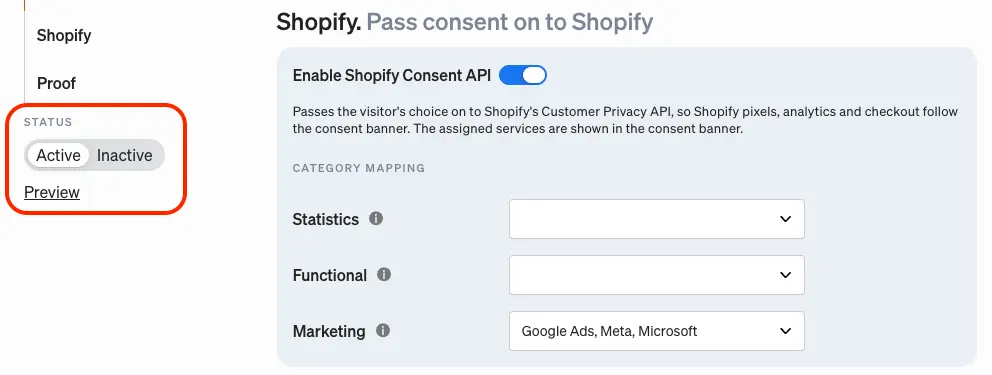
To configure these settings, select the “Shopify” menu item in the consent manager’s configuration section. First, use the “Enable Shopify Consent API” toggle button to unlock the configuration options.
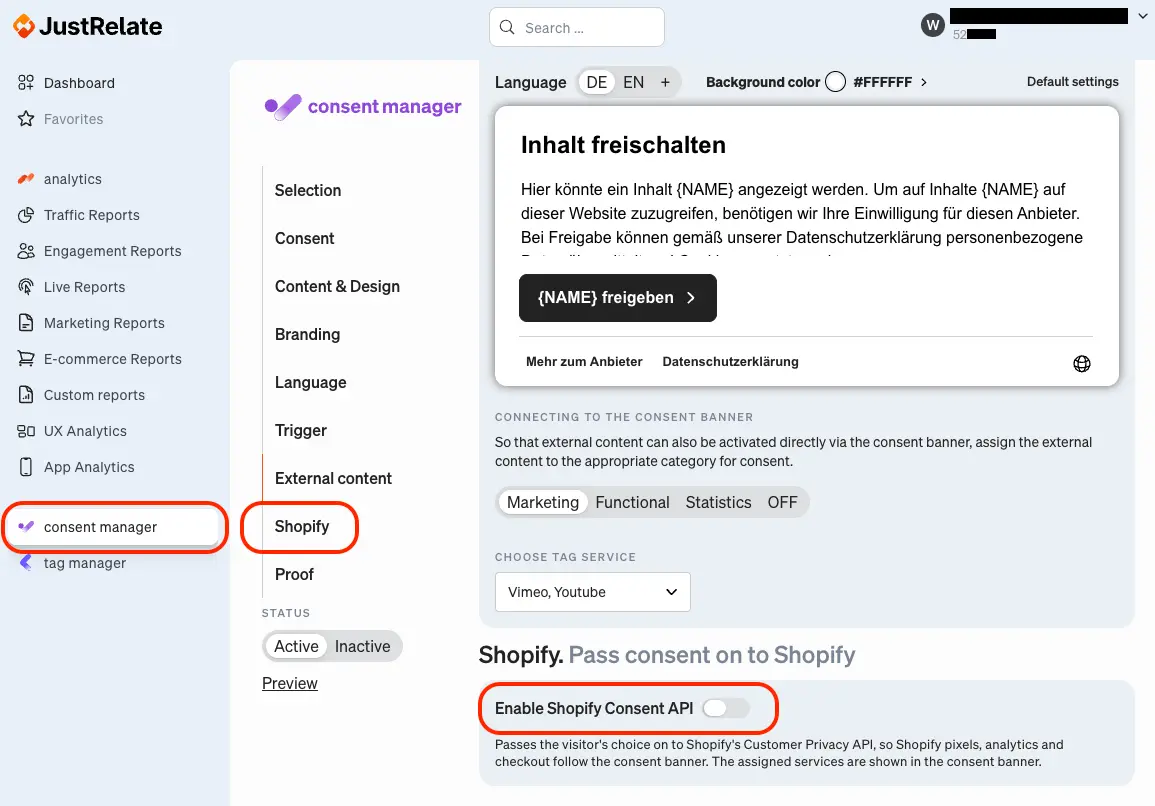
Next, you simply need to assign the additional services activated in Shopify to their respective categories. JustRelate etracker already provides a list of standard services for this purpose.
When using the etracker consent manager, etracker is automatically listed in the “Statistics” category so that website visitors can consent not only to tracking that does not require consent but also to being recognized for more than 24 hours. Therefore, “etracker” does not need to be selected separately.
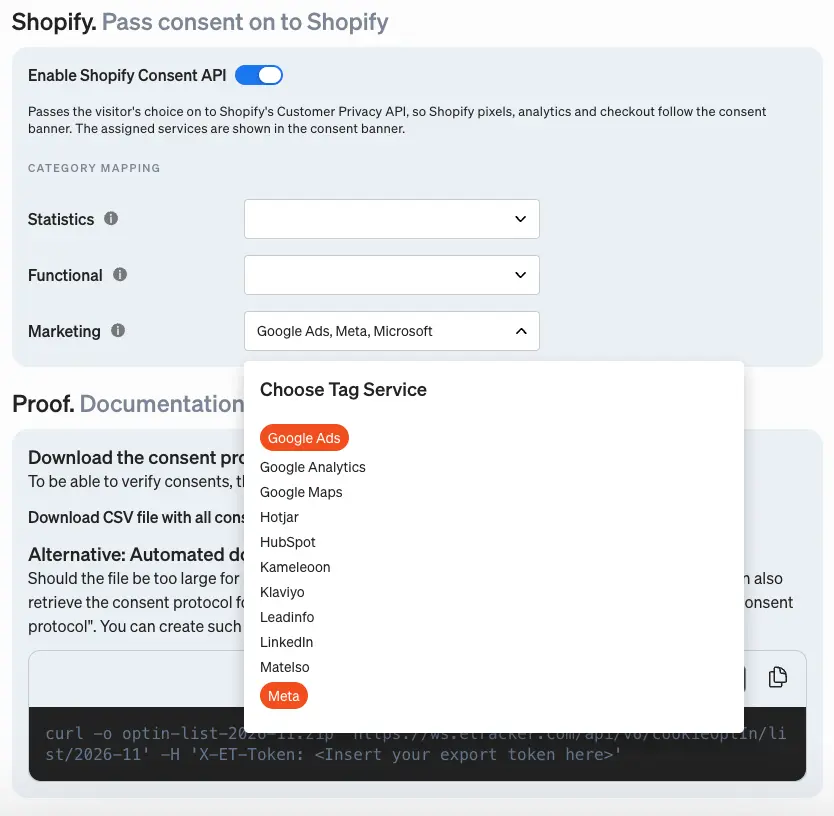
If a service is not included in the list, it can be added in Tag Manager under the “My Providers” menu item.
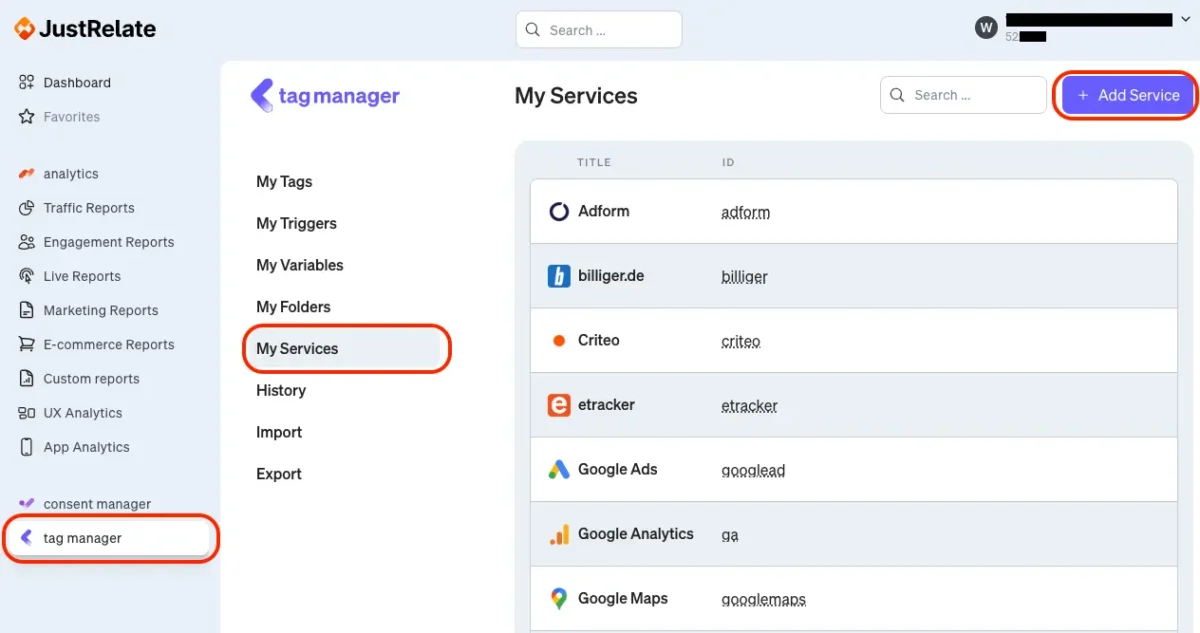
Finally, save your settings by clicking the “Save Changes” button at the bottom of the page.
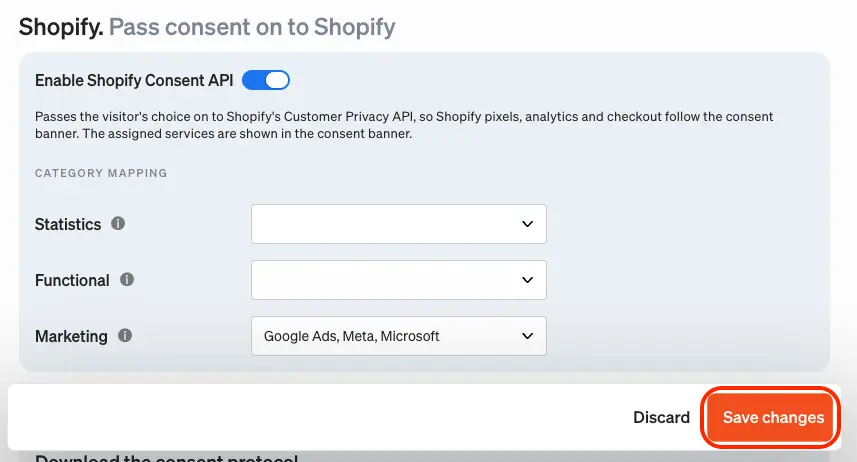
To ensure that the configured services are displayed in the consent dialog and that the consent is transmitted to Shopify, the consent dialog itself—if this has not already been done—must be set up in terms of contents and appearance and activated using the status toggle in the left-hand menu.
Changes made by website visitors to their privacy settings are then automatically transmitted to Shopify in the background via the API. There are two important points to note here:
- Consent at the category level: By default, the consent dialog displays the categories that website visitors can consent to. However, by clicking “Show Providers,” visitors can also make a selection at the individual provider level. Shopify, however, does not support this type of granular consent per service. Consent is generally granted on a blanket basis at the category level (Marketing, Functional, Analytics). For this reason, JustRelate reports a category as rejected to Shopify as soon as consent has not been granted for at least one of the services contained within it. In practice, however, such a partial selection of individual providers occurs only very rarely.
- “saleOfDataAllowed” parameter: The services configured in Shopify can query the Shopify-internal “saleOfDataAllowed” parameter. The official description of the parameter is: “Sharing data with third parties, usually for behavioral advertising.” JustRelate etracker therefore sets this parameter to true as soon as consent has been granted for all services in the “Marketing” category.